✅
GitHub and GitLab
Sign in to GitHub, GitLab, or both, and switch between them from the repository picker. GitLab can be gitlab.com or your own server. You'll need a Nudgr account first. Your host tokens are kept in your operating system's own secure storage, never on a server of ours.
🤖
Hand it to an AI agent
Right-click an issue on the desktop to plan or implement it with Claude Code, Cursor, Codex, or a command of your own. See what the agent will be told, then it starts in a terminal, in its own worktree of the default branch, with the issue and its comments as its brief.
📁
The repositories you pick
Choose which of your repositories to follow, work one at a time, or open "All my open" to see everything assigned to you across all of them at once.
🏷
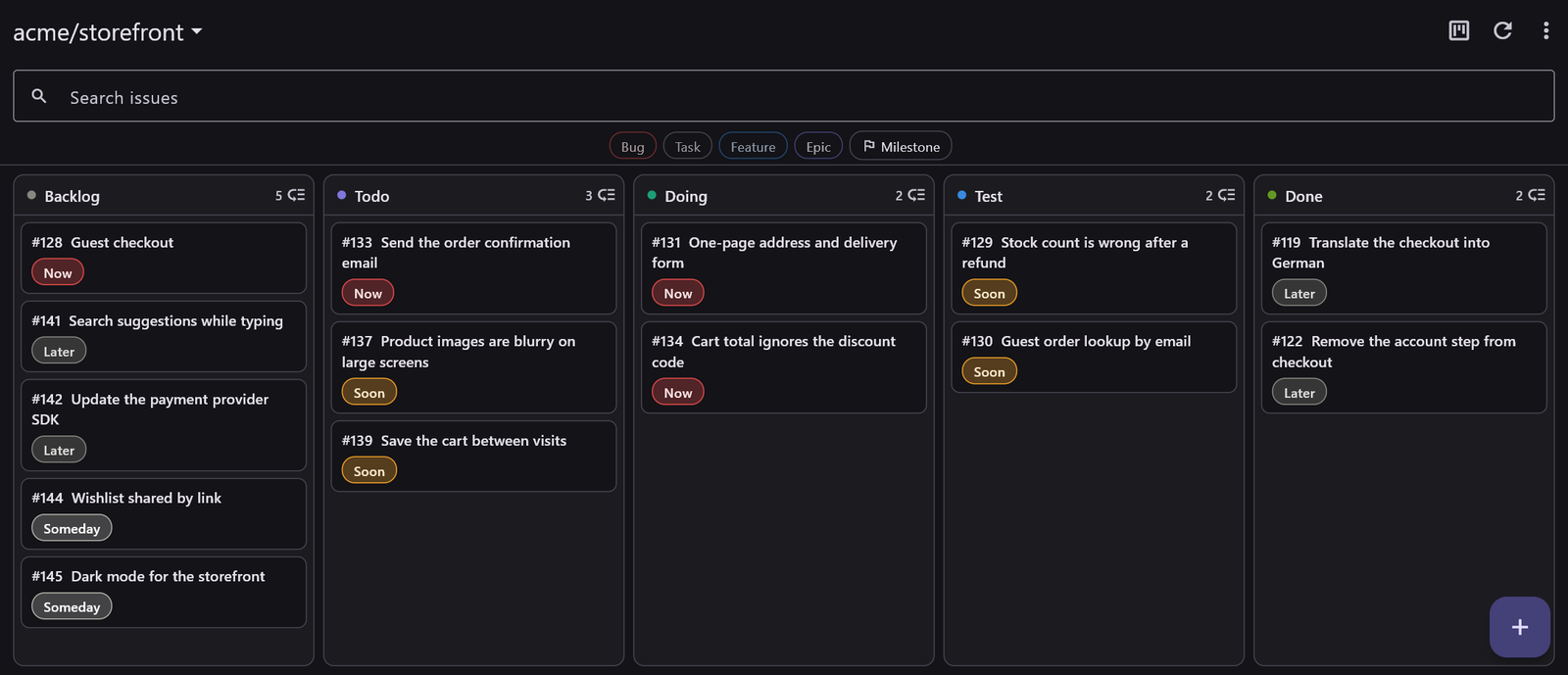
Bug, Task, Feature, Epic
A type on every issue, using GitHub's own issue types where your organisation has them and plain type: labels everywhere else — so the labelling still means something when you open the same issue on github.com.
📌
A board and a list
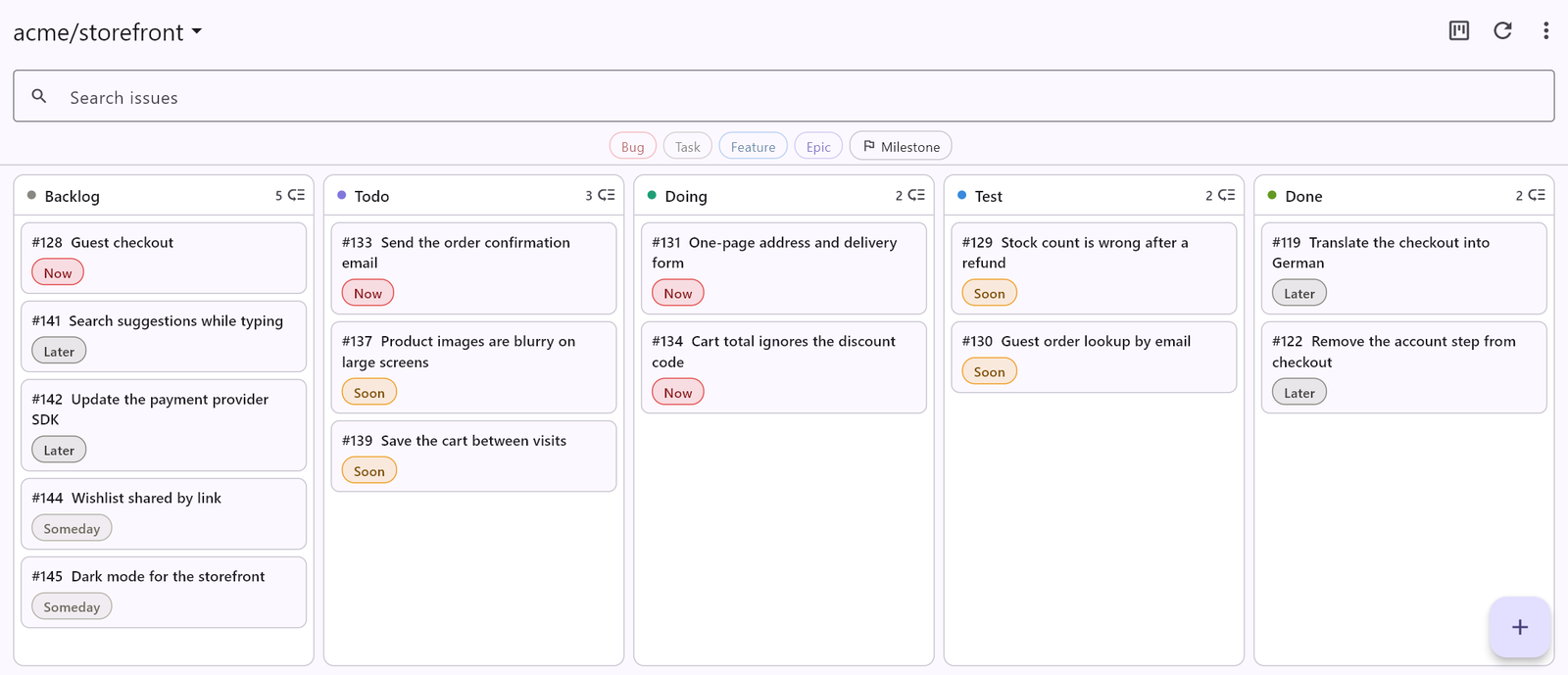
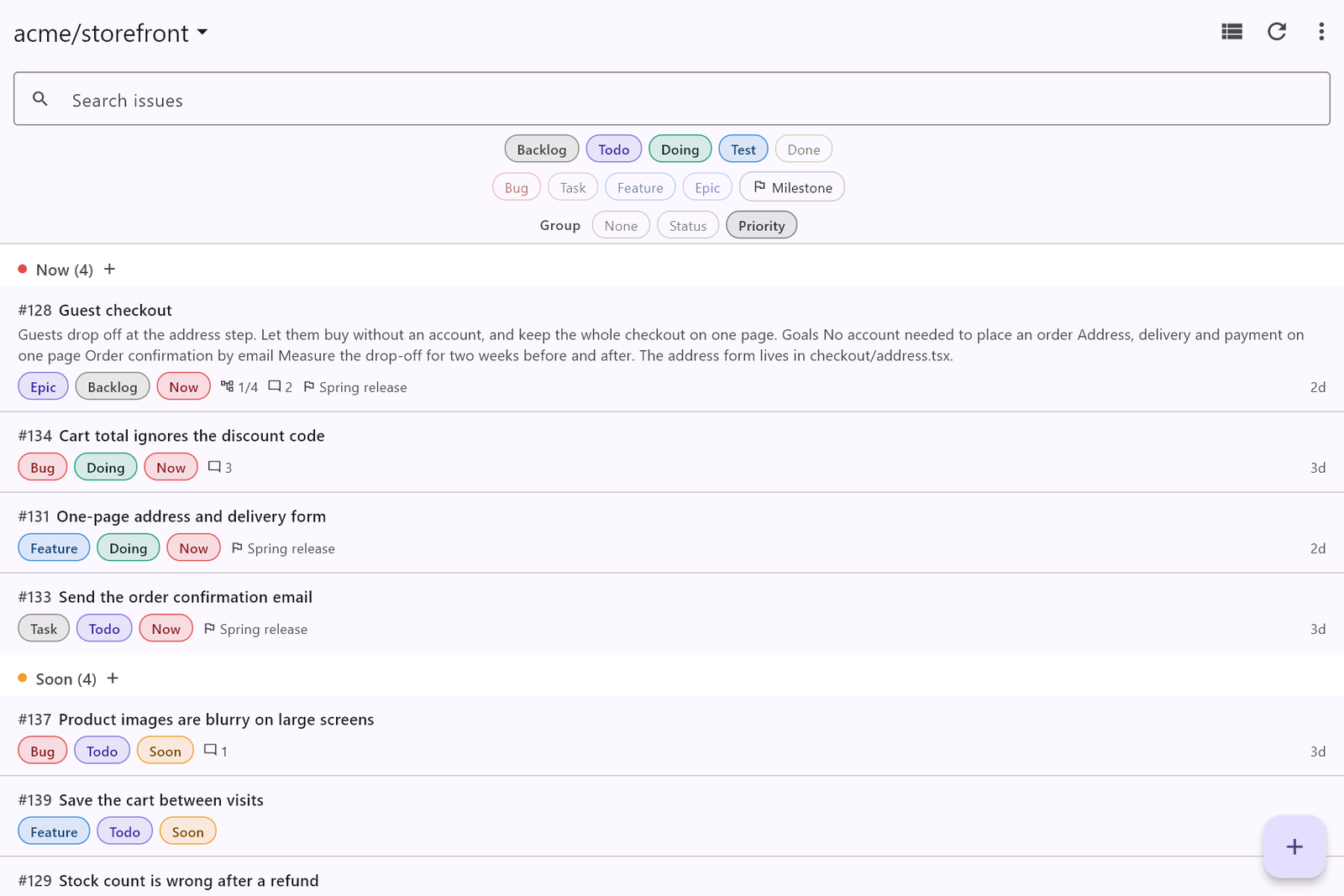
Backlog, Todo, Doing, Test, and Done, plus a priority from Now to Someday. Drag cards between columns, or group the list by status or priority. Status, priority, and order sync through your Nudgr account rather than as labels on the issue.
↕
Drag it into order
Rank a repository's list by dragging rows where you want them. The order is yours and it survives filtering and searching — and one menu item puts it back the way GitHub had it.
🌳
Epics and sub-issues
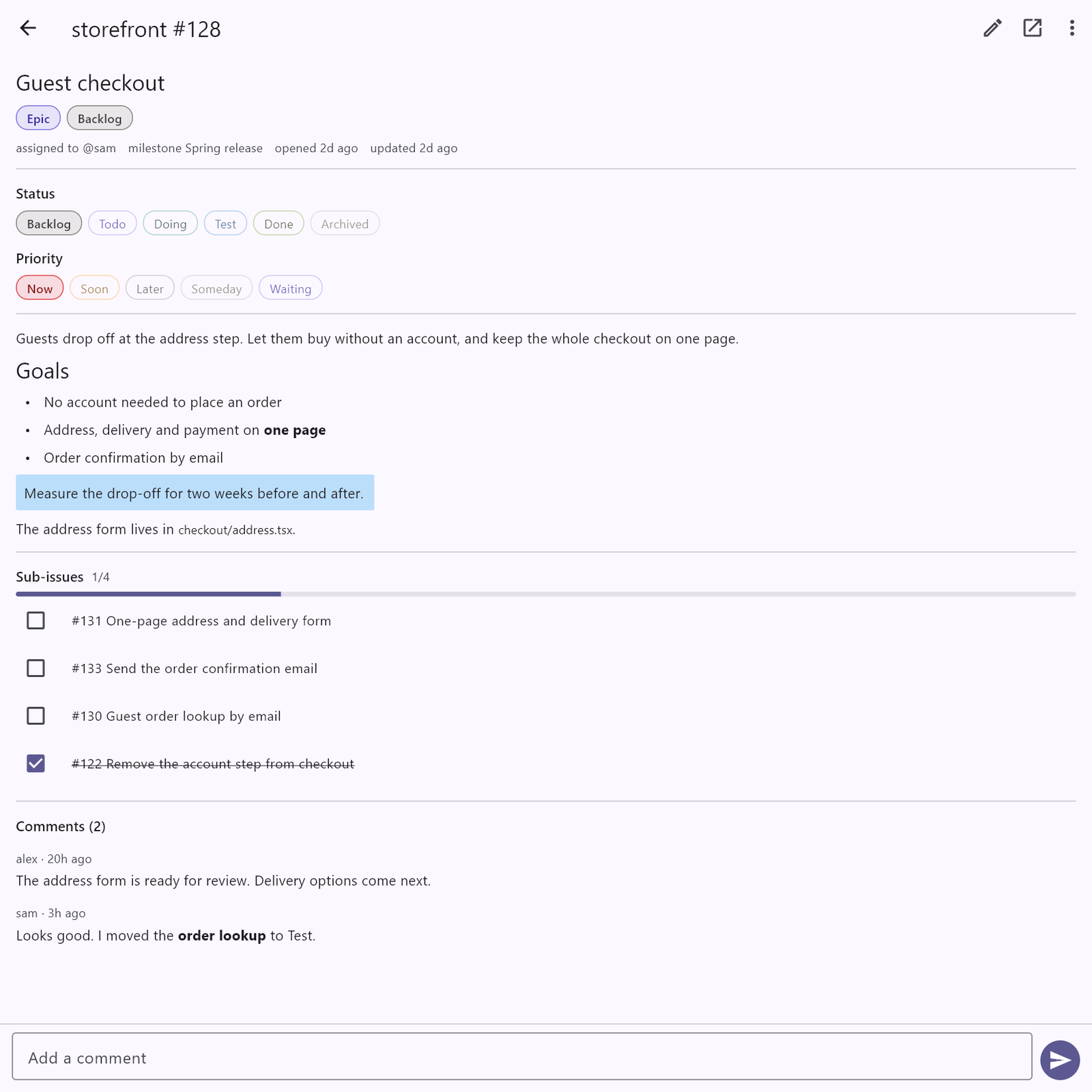
Hang sub-issues under an epic — GitHub's own hierarchy there, issue links on GitLab — tick them off from the parent, and watch the progress count fill in.
📝
Markdown, rendered
Descriptions and comments render as proper markdown — including images from private repositories — and you write them back the same way.
⌨
Made for the keyboard
Ctrl+N for a task, Ctrl+Shift+B, F, or E for a bug, feature, or epic, and Ctrl+Enter to save it or send the comment. The mouse is optional.
📋
Paste in a backlog
Copy a list of ideas, one per line, and import them as issues in one go — with a preview and a type on each before anything is written.
📱
On every screen you use
The same app on Windows, macOS, iPhone, iPad, and Android, in light or dark to match the rest of your desktop.